DOUG.md
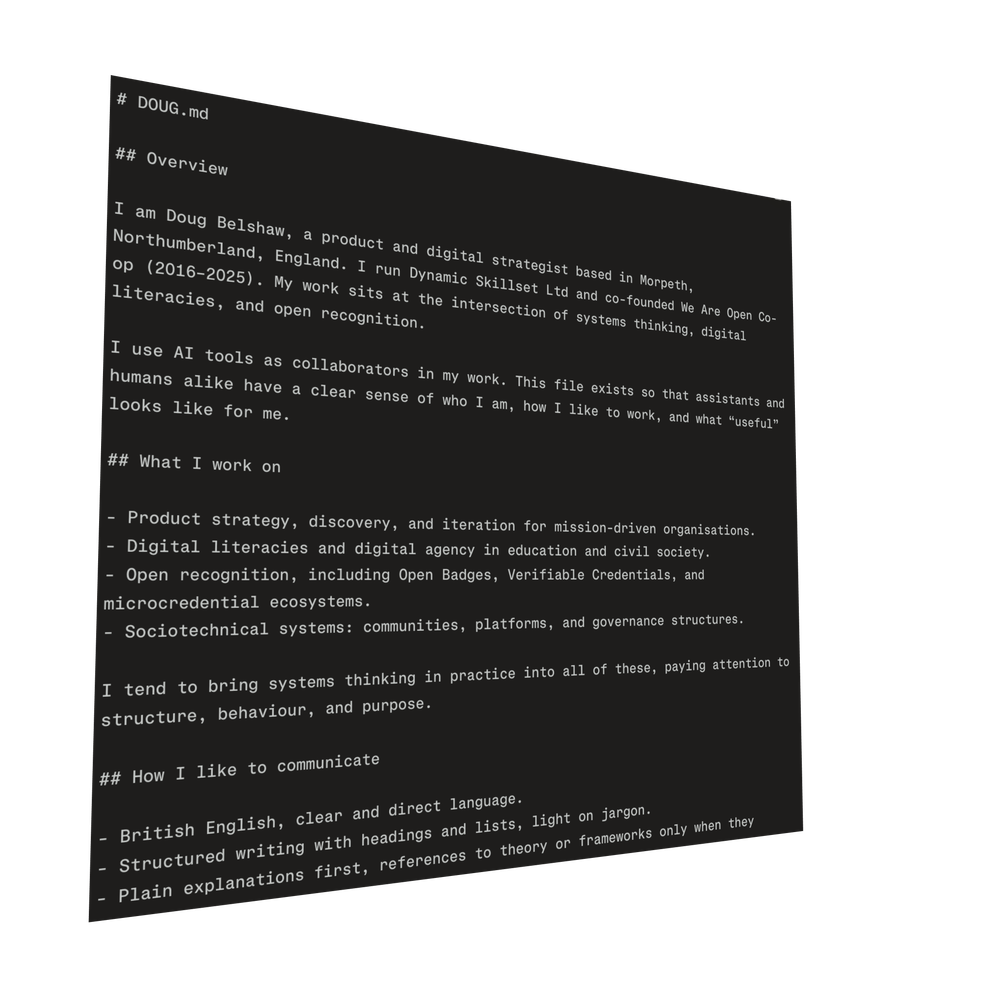
Over the years, I've seen plenty of “how to work with me” posts. They're well-intentioned, but not usually very impactful. They share preferences about meetings, feedback, communication, and decision making. Sometimes they mention neurodivergence.
They're user manuals for humans.
What's interesting in the current climate is that CLAUDE.md has become a recognisable thing:
CLAUDE.md is a special configuration file that lives in your repository and provides Claude with project-specific context. You can place it in your repository root to share with your team, in parent directories for monorepo setups, or in your home folder for universal application across all projects.
You can also ask AI assistants to create files such as HANDOFF.md and MISTAKES.md to log what's happened (and what's been attempted) in a project.
LLMs are now semi-persistent collaborators for some of us, so they need context about who I am, what I care about, and how I like to work. So, instead of writing another “how to work with me” page, I created a file called DOUG.md and began giving that to AI assistants as part of my prompt.
How to create your own
The name isn't particularly important. You could call it, PROFILE.md, or anything you want. What matters is that it is short, structured, and written in a way that a machine can use without too much inference.
It might even be useful for other humans with whom you collaborate!
The pattern I've iterated so far looks like this:
- A brief overview – 2-3 sentences about who I am, what I work on, and where I am based. That includes that I run Dynamic Skillset, that We Are Open Co-op is closing, and that I'm somewhere in the Venn diagram between learning, technology, and community.
- Areas of focus – A short list of things I keep returning to. For me that includes systems thinking in practice, digital literacies, and open recognition. It gives the model permission to lean into those lenses.
- Capabilities/constraints – This is the bit where I say that I'm not a developer, but that I've been a Produce Manager, know my way around HTML and CSS – and that I am comfortable discussing architecture and product trade-offs without writing production code.
- Communication preferences – British English, direct language, as little jargon as possible. I also include a list of words and phrases I would like the model to avoid, which is probably longer than most people’s. This is partly a style preference and partly an experiment in seeing how “controllable” the outputs are.
- Assistant instructions – Guidance such as “offer options and trade-offs” and “show your working when making a recommendation”This is where the file becomes more like an operating manual than a profile.
- Example prompts – A handful of requests that represent the kind of work I expect to do together: drafting governance documents for communities, sketching credential frameworks, re-framing messy situations using systems thinking tools, and so on.
All of this fits on a single page. It is not meant to be comprehensive. It's meant to be enough.
The third leg of the CV/portfolio stool?
The more I experiment with this, the more it feels like an applied form of digital literacies. After all, it requires noticing your own habits and preferences, making them explicit, and then encoding them into a form that a machine can use.
For example:
- You have to choose what is stable – I don't want to rewrite the file for every project. So that forces me to distinguish between who I am and how I work and what I am doing this month.
- You have to own your voice – Telling a model which phrases to avoid forces you to confront how much AI output defaults to generic business English. Writing your own preferences is an act of reclaiming tone and register.
- You have to think about data and power – Handing a personal profile to any tool raises questions. Where is this stored, who can see it, and what else might it be used for? The nice thing about a local Markdown file is that you can decide when and how to share it.
I suspect that, over time, many people will end up with some form of NAME.md that travels with them between tools. It will sit next to CVs and portfolios as part of how we present ourselves in digital work.
What would be in yours?