Sightlines: small, practical systems thinking tools for mission-driven organisations
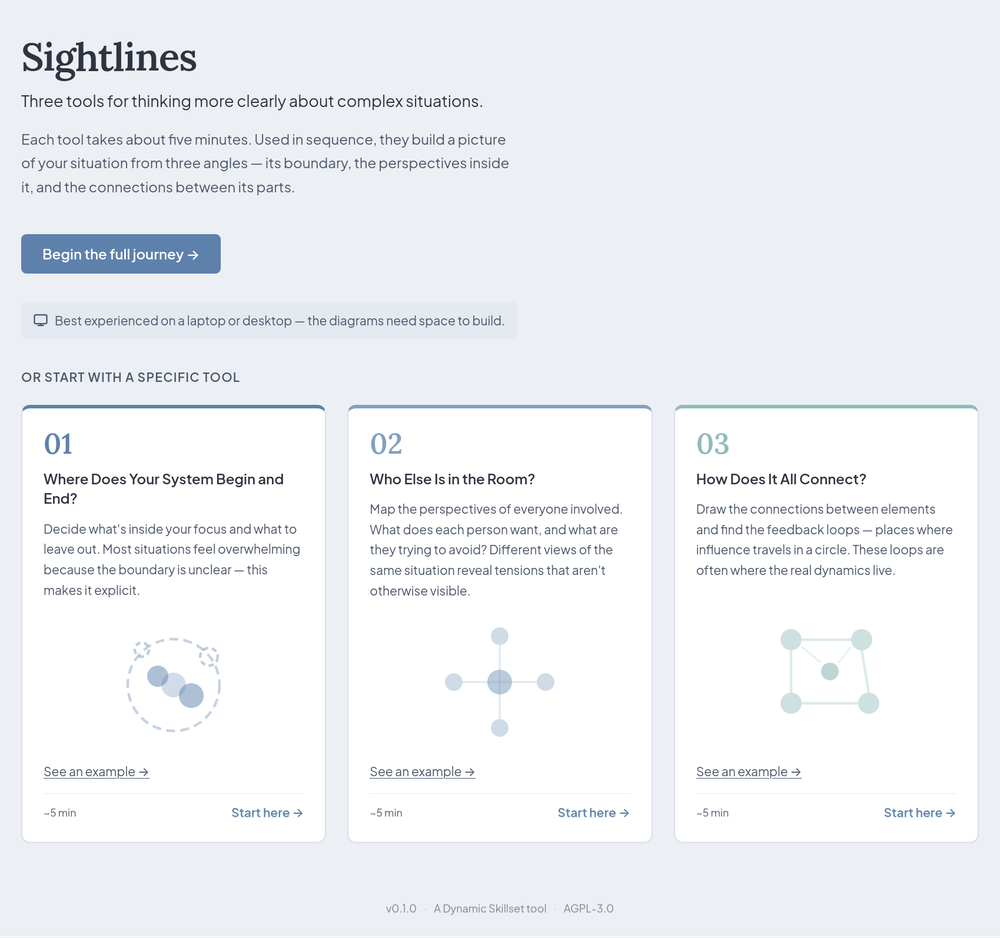
The work of mission-driven organisations is complex, but it can be difficult to talk about that complexity. It's easy to feel, but not necessarily see. Sightlines is a new, practical response to that problem.
With the help of Claude Code, I've built three simple tools for thinking more clearly about complex situations. Each tool takes around five minutes to go through, and they can be used in sequence. You can try the full journey or start with a specific tool at dynamicskillset.com/sightlines.
Before you pop over there and get cracking, just a note to say that Sightlines is best experienced on a laptop or desktop, as the diagrams need space to build. In other words, it does not (currently) work as well on a smartphone-sized screen.
The three tools
1. Where Does Your System Begin and End?
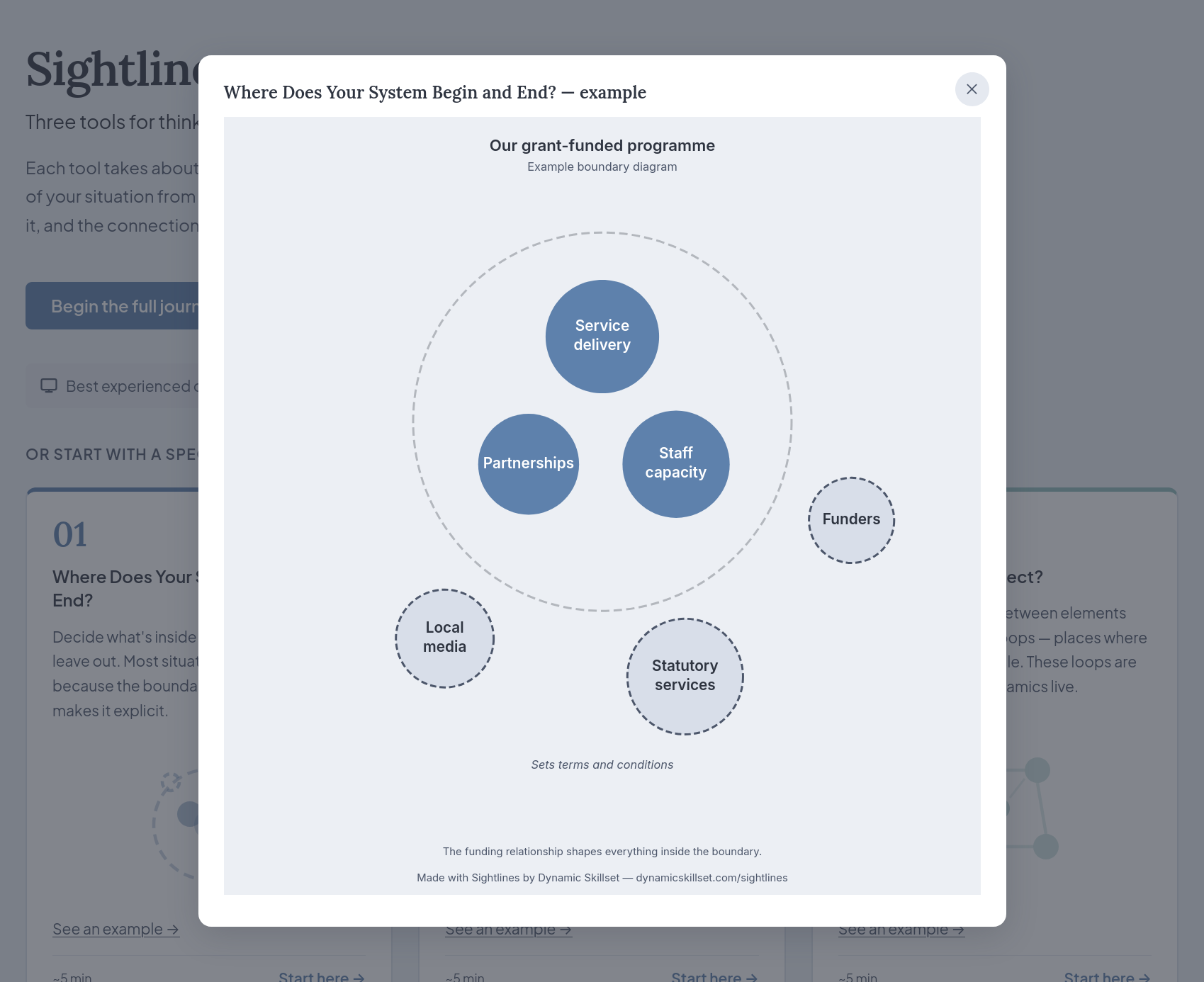
The first tool helps you decide where to place your boundary. Before you can make sense of a complex situation, you need to decide what to focus on. For example, are you discussing:
- A team within your organisation?
- The way several teams interact?
- Your whole organisation?
- The ecosystem within which your organisation operates?
- Something else?
Knowing what's out of scope for the 'system' that you're discussing is a basic but important step when starting to develop systems thinking skills.
The example shows a grant-funded programme, with service delivery, partnerships,
and staff capacity sitting inside the boundary, and funders, local media, and
statutory services sitting outside – but still shaping what happens within.
2. Who Else Is in the Room?
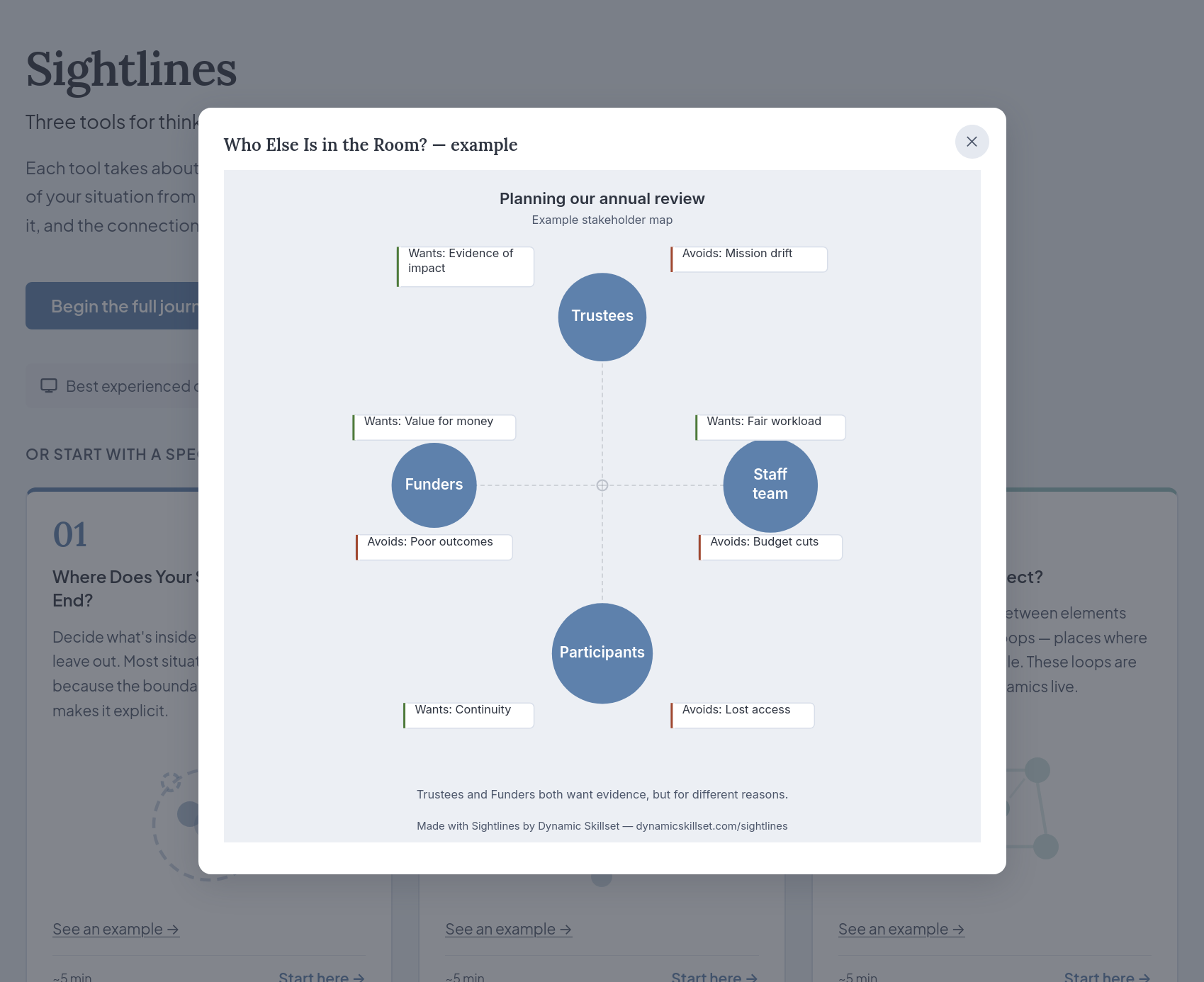
Complex situations usually involve several groups of people with multiple perspectives and diverse sets of interests. The second tool therefore invites you to identify the key stakeholders in your situation:
- Who are they?
- What do they want?
- What are they keen to avoid?
That last question is particularly important, as it's easy to list what people want but being explicit about what they're trying to avoid helps open up more honest conversations.
The example shows a planning process for an annual review which maps out trustees,
funders, staff, and participants, each with their own 'wants' and things to 'avoid'.
(Note: this is probably the tool that still requires a bit of UX work)
3. How Does It All Connect?
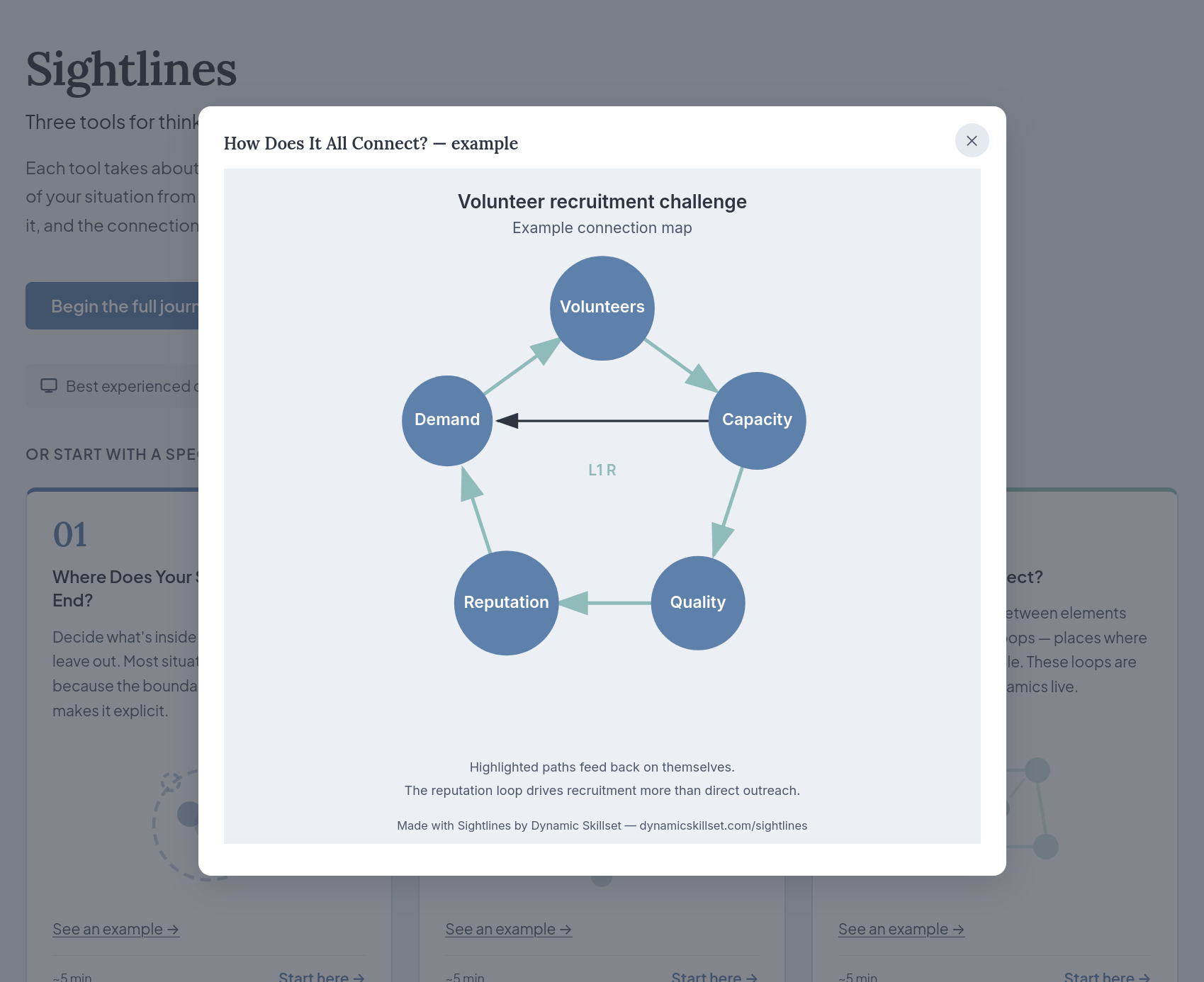
The third tool is about feedback loops based on the connections between important elements of your situation. These loops are often where interesting dynamics live. These loops can be reinforcing, meaning they exacerbate problems over time, or balancing, meaning they push back towards stability.
The example shows the challenges around volunteer recruitment, showing how reputation, quality, capacity, and demand all feed into each other.
How you might use Sightlines
These are intended to be light, introductory tools. You do not need any background in systems thinking techniques or terminology to use them, as the prompts guide you through each step.
You might want to use Sightlines:
- On your own, to think through a project that feels stuck or hard to describe.
- With a colleague, as a prompt for a conversation about why you are seeing a
situation differently. - With a small team, as a short activity in a meeting or planning session.
The outputs from these tools aren't meant to be shiny, finished articles. They're intended to be works-in-progress to help make your thinking visible and give you something tangible to discuss.
Where this comes from
I run a consultancy called Dynamic Skillset through which I help mission-driven organisations deal with complexity. After my postgraduate studies in Systems Thinking in Practice, I've been thinking about ways to make that kind of thinking accessible to the organisations with which I work.
Sightlines is an attempt at that.
The tools draw on a three-part series I wrote on systems thinking for We Are Open
Co-op. You can still read those posts here (I've added an archive link as WAO is closing soon):
- Part 1: Three Key Principles (archive link)
- Part 2: Understanding Feedback Loops (archive link)
- Part 3: Identifying leverage points (archive link)
For those willing to help improve Sightlines, it's an open source project.
Remember: this is v0.1
Sightlines works and I would happily use versions of these tools with clients already. However, I've called this v0.1 for a reason: there are things I want to improve,
including drag-and-drop functionality, and I plan to iterate as I learn from how people use it.
What would help me most right now is knowing whether Sightlines is already useful
to you. Feel free to leave a comment below or email [email protected] with your thoughts.
To get you started, here are three things I am most interested in
hearing about:
- Is it already useful? Did working through the tools change how you think
about your situation, or give you something concrete to share with a colleague? - Where did you get stuck? Were there prompts that felt unclear, or steps that
did not quite fit your situation? Even small friction points are worth knowing about at this stage. - What would you add or change? If you could improve one thing about
Sightlines for your context, what would it be?
Screenshots of your outputs are very welcome too. You are welcome to share Sightlines
with colleagues — after all, the more people try it, the faster it will improve!